Telegram setup
Create a bot with BotFather and connect it in one minute.
Telegram is the quickest channel to connect: create a bot, paste its token, done — Pommy sets the webhook up automatically.
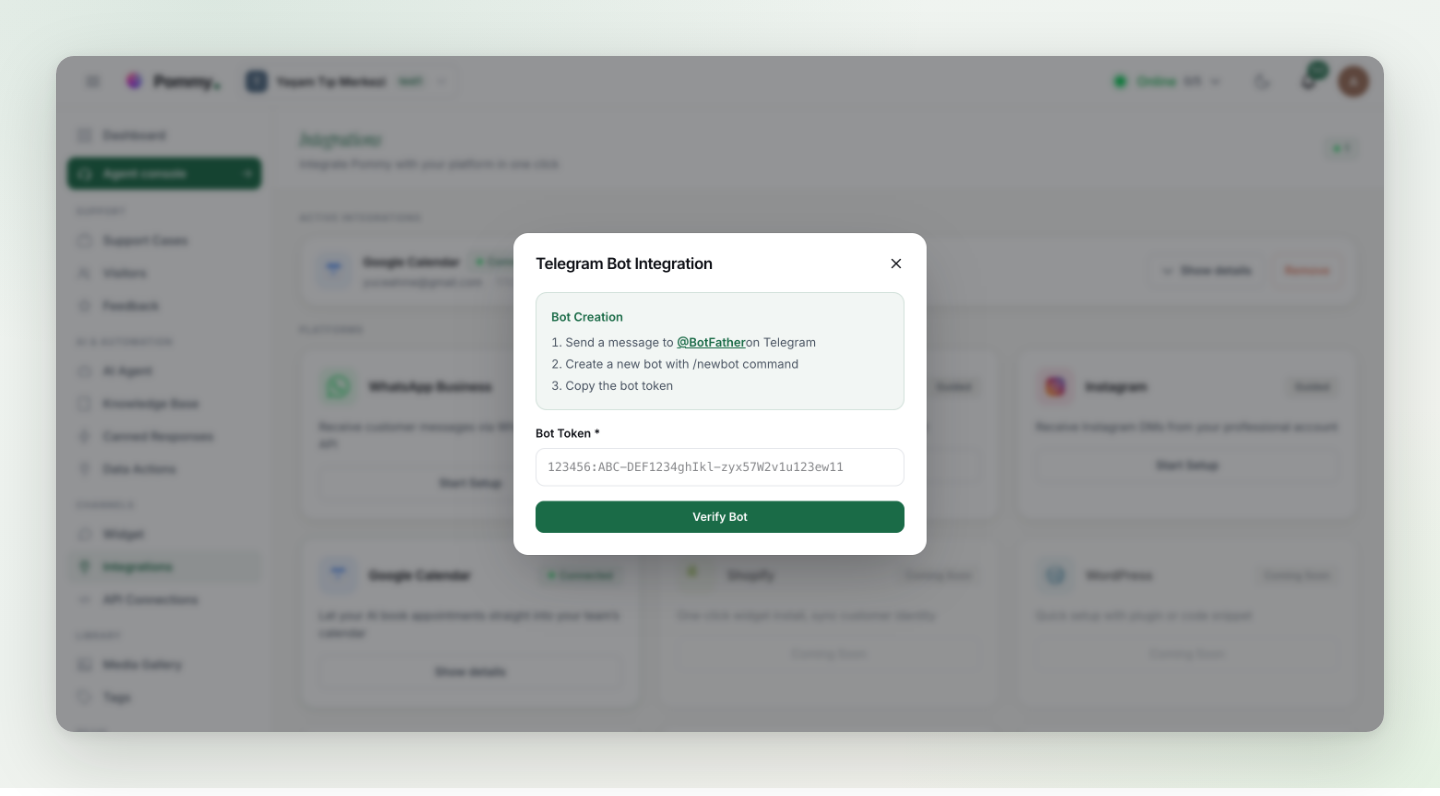
- Message @BotFather on Telegram
Open Telegram and start a chat with @BotFather — Telegram's official bot for creating bots.
- Create your bot
Send the /newbot command and follow the prompts: pick a display name (e.g. your business name) and a username ending in "bot".
- Copy the token and verify
BotFather replies with a bot token. Paste it into the Telegram setup dialog in Pommy and click Verify and Complete Setup — the token is checked and the webhook is configured automatically.
That's it. Customers who message your bot now appear in the Agent console; the assistant replies there just like in the widget. The dialog also offers an optional test message to confirm the wiring.
Tip: Put the bot's link (t.me/your-bot-name) on your website and social profiles so customers can find it.