What is Pommy?
The product at a glance: AI-powered customer chat.
Pommy is a chat bubble (widget) you add to your website, plus the AI assistant behind it. Visitors open the bubble and type their question; the AI answers within seconds, using only the information you define in your dashboard. When needed, it hands the conversation over to a live agent.
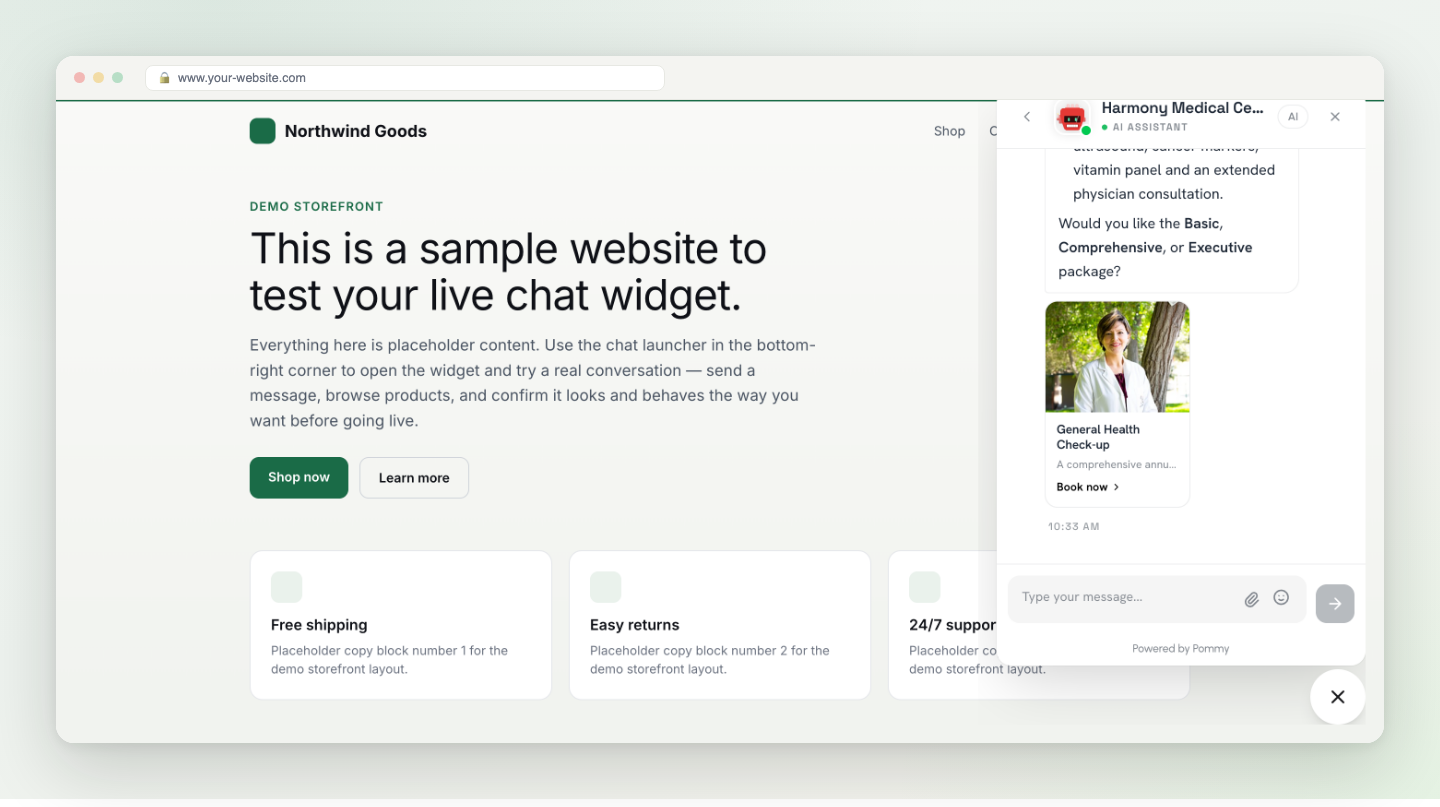
What does it do?#
- Answers questions — opening hours, address, prices, service details… It knows exactly what you taught it.
- Shows product and service cards — when a customer asks "do you offer teeth whitening?", the matching card opens right inside the chat.
- Books appointments — it checks your calendar, suggests available times and creates the booking; cancelling and rescheduling also happen in chat.
- Hands over to a human — when it can't resolve something, or the customer asks for a person, the conversation is transferred to your team.
- Serves help articles — the articles you write open as readable pages inside the chat.
Where does the AI learn from?#
The assistant doesn't answer from the internet — it answers from what you provide in the dashboard: the Knowledge Base (documents, FAQs, articles), your product showcase and your appointment setup (services, staff, calendar). The quality of the assistant is the quality of your content — see the Knowledge Base section for writing tips.
Tip: You don't need to read this guide cover to cover. Run through Quick setup to get live, then come back as questions come up. Use the Search button (⌘K) at the top to jump anywhere.