Adding content
Training the assistant with documents and FAQs — and the rules of writing content that works.
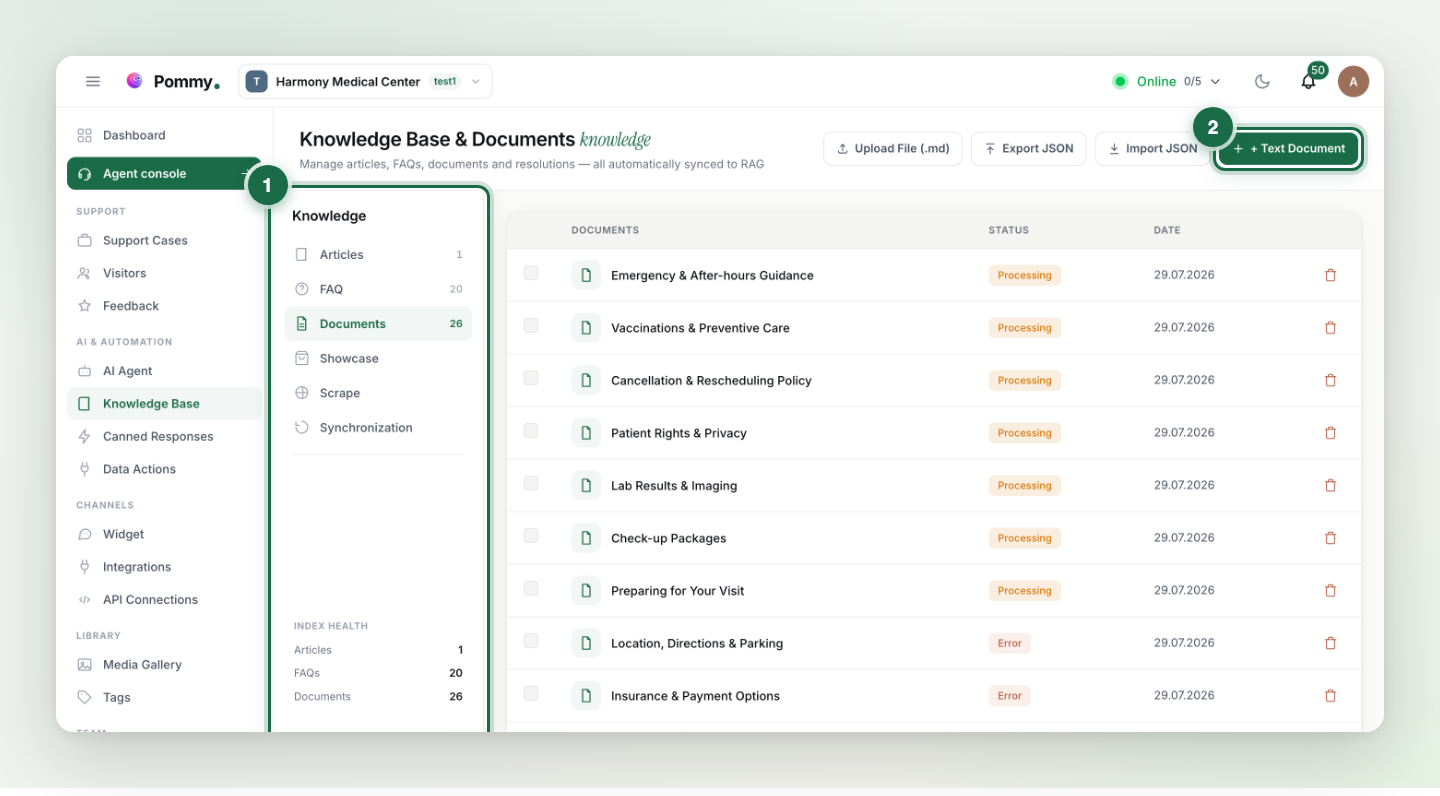
Training the assistant means giving it your information — there is no other kind of training, and no model to fine-tune. The Knowledge Base page in the left menu is the assistant's only source of truth. You add three kinds of content: documents (free text — company intro, service descriptions, policies), FAQs (question–answer pairs) and articles (help pages that open inside the widget — covered later in this section).
How to write content that works#
- Short, plain sentences — write information, not marketing copy. The assistant feeds on clear facts, not flourish.
- Spell out the essentials: full address, phone number, opening hours, prices. "Contact us" isn't enough — the assistant can only give your phone number if you wrote it down.
- One topic per entry. Instead of one giant document, separate pieces like "Opening hours" and "Refund policy" help the assistant find the right fact fast.
- Use your customers' words — include the words customers actually type (e.g. both "price" and "fee").
- Keep it current. When hours, prices or staff change, fix the entry right away; the assistant won't keep the old version.
I added it — when does the assistant learn it?#
New or changed content is first processed into the assistant's search index; this can take a few minutes. When the sync status indicator on the page shows complete, the assistant answers with the new information. Appointment data (services, staff, hours) skips the index — it applies instantly.
Tip: The best content test is asking like a customer: open the widget and try real questions — "how late are you open?", "what's your address?". A missing answer means missing content — add it.